
slicecut

Cut your talking-head videosby editing text.

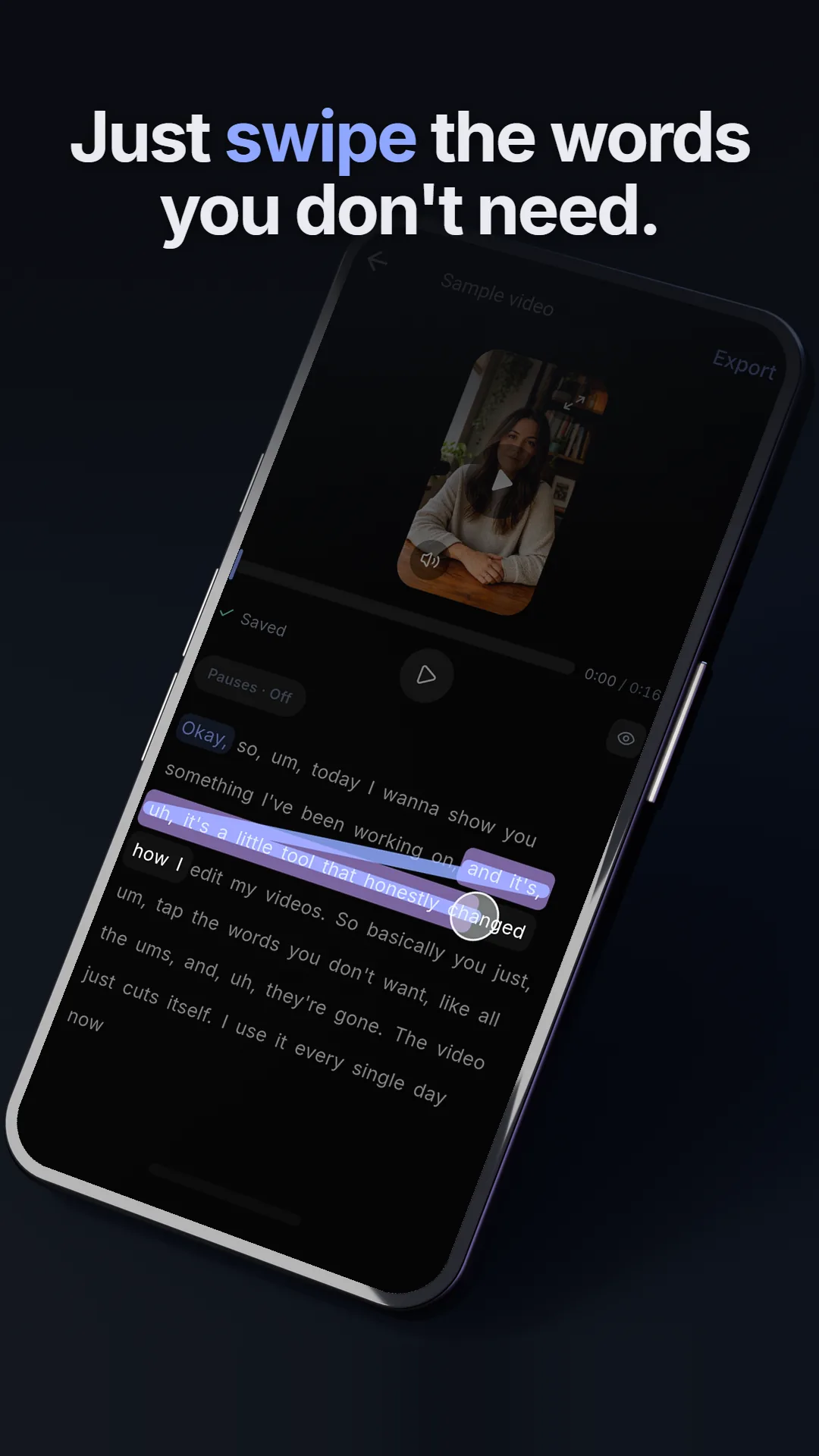
Your take becomes a transcript. Swipe out the words you don’t want and the cut lands exactly there — 20 minutes of editing, done in under 60 seconds, on your phone.

  • Free to start, 30 min included
  • Cuts land exactly on the word
  • Your video stays on your phone

Forpodcastersyapperscoachesfoundersteacherswho talk to the camera.

The old way

7 minutes to record.
20 to cut.

You talked at your phone for 7 minutes and the good part was over. Then the timeline opens: scrub, guess, undo, scrub again. By the time the reel is clean, the idea has gone cold.

  • Scrubbing

    Back and forth over the same 5 seconds until the cut finally sits.

  • Missing by a frame

    One frame late clips the next word, one early swallows the last.

  • Dead air

    Forty pauses in a 3 minute take, each found by ear and dragged out by hand.

On a timeline

20 min

scrub, guess, undo

With slicecut

< 60 s

swipe, done

Editing time for one 7-minute take

20 min
under 1 min
Timeline editorslicecut

What it does

One editor, built around the transcript. Everything you would drag on a timeline, you do in the text.

Striking a whole sentence out of the transcript with one swipe

Why slicecut works

Cuts on the word.Not on a guess.

The transcript knows where every word starts and ends, so striking one out is a frame-exact cut. No scrubbing, no zooming into a waveform, no clipped syllables.

Transcript

Okay, so, um, today uh, I’ll show you something — like, real quick — worth posting.

3 cuts, each on the word

Text editing, in your pocket.Not at a desk, not in the cloud.

Timeline editors are built for visual content. Spoken content is a different job: the thing you want to remove is a word, and a word is easier to find in a paragraph than in a waveform. Desktop tools worked that out years ago, and kept you at a desk.

AppCuts by textOn your phone
CapCut
Edits (Meta)
Descript
slicecut
Your video stays on your phone.Only the audio is transcribed.

Editing and rendering run on the device. The footage is never uploaded; the extracted audio track goes to servers in Germany for transcription and is deleted after seven days.

Full quality, every plan.No watermark, not even on free.

4K in, 4K out. Untouched stretches are copied bit for bit, so there is no generation loss. You pay for the minutes of footage you bring in, never for features.

Pricing

Free to start.Pay when you post a lot.

Free

€0

  • 30 minutes of import a month
  • The whole editor, nothing locked
  • Export at full source quality
  • No watermark, ever

More minutes

  • Week150 min a week€7.99
  • Month300 min a month€14.99
  • Year300 min a month€97.00
See the plans

Questions

Is slicecut free?

Yes, with 30 minutes of imported footage a month. Paid plans raise the allowance; the editor and the full-quality export are never locked.

Which phones does it run on?

iPhone with iOS 16 or newer, and Android via Google Play. Mobile only on purpose: no desktop app to open, no cloud round trip.

Which languages does it understand?

Transcription handles every language the model supports. Record in whatever you speak.

Is my video uploaded?

No. Only the extracted audio track goes to servers in Germany for transcription. Editing and rendering happen on your phone.

How long can a video be?

Up to 15 minutes per source video, up to 20 minutes for a finished project. Several takes can be merged into one.

Is there a watermark?

No. Every plan, including free, exports clean video at full source quality.

From the blog

Notes on cutting video like text.

All articles →

You already recorded it.Let’s get it posted.

Free to start — 30 minutes of video included, no watermark.

We need a few to run this site. With your OK, we also measure which of our ads bring people to the app.

· Privacy policy